
pibot_cnc_laser_series:v577_carrier:docs:start
5 Documentation and Downloads
PiBot V5.77 Carrier reference files
The YAML below is an I/O test configuration. It deliberately enables many board functions so the checklist can verify them. It is not safe to use unchanged on a real CNC, laser, or spindle machine.
V5.77 PinMap
Annotated board layout with connector numbers, GPIOs, jumper positions, and test-YAML assignments.
Download PNG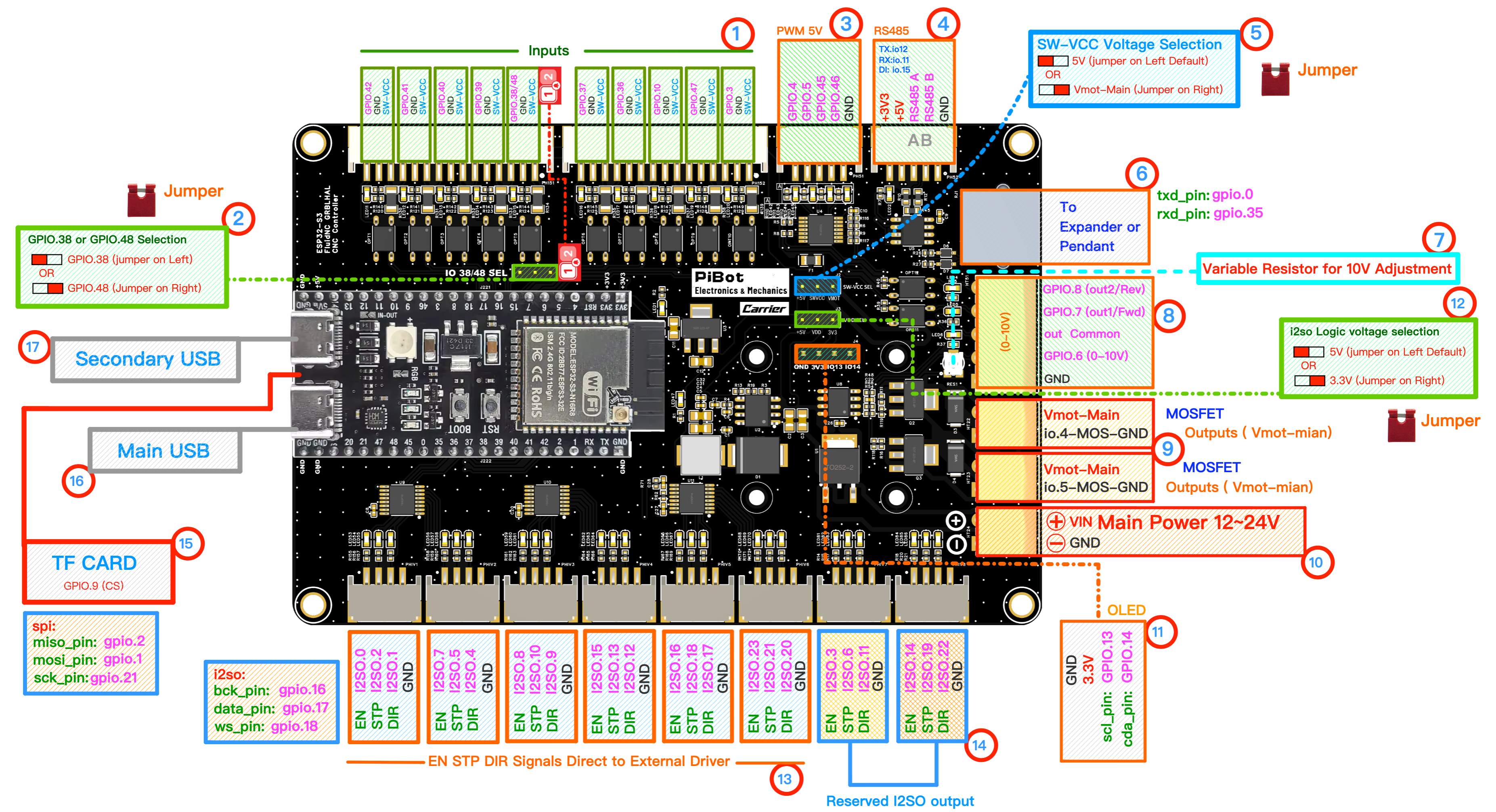
Board Product Image
High-resolution V5.77 Carrier board rendering for connector and component orientation.
Download PNG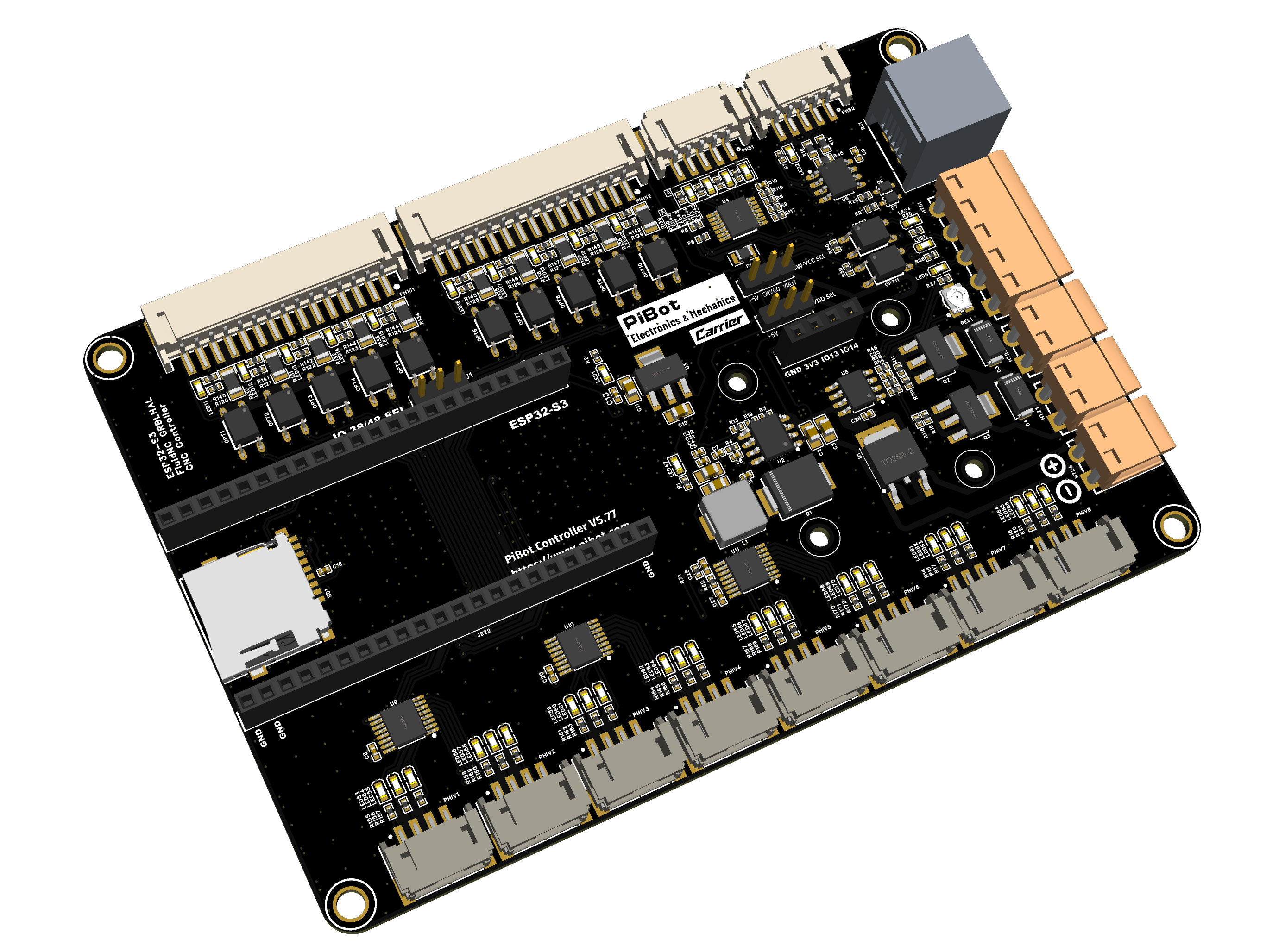
Schematic
V5.77 Carrier electrical schematic. Check the sheet revision against the marking on your board.
Download PDFFluidNC I/O Test YAML
XYZABC factory-style test profile used by sections 2 and 3 of this tutorial.
Download YAMLBefore Creating Your Machine YAML
- Keep an untouched copy of the test YAML for future board diagnostics.
- Choose only the inputs, spindle interface, communications, and axes your machine actually needs.
- Replace steps/mm, direction, acceleration, travel, homing, limit, spindle/laser, and safety settings with values verified for your machine.
- If the module uses GPIO.38 for its RGB LED, move item 2 to GPIO.48 and change the Z-limit pin in YAML.
For connector details, start with the Pinout Reference.
pibot_cnc_laser_series/v577_carrier/docs/start.txt · Last modified: by 127.0.0.1